
 Admin
AdminI spent an entire afternoon last week finally dumping my master list of logins, and honestly, the debate surrounding passkeys vs passwords is one that we all need to start taking seriously. We are living in a digital age where our personal data is being auctioned off to the highest bidder, yet most of us are still clinging to the prehistoric idea of a string of text we probably reuse across five different accounts. It is time for a change.
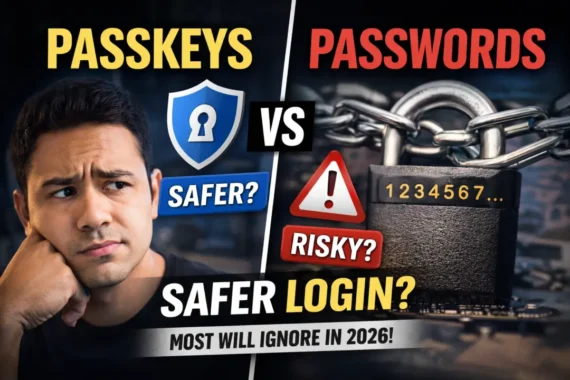
When you look at the landscape of passkeys vs passwords, it is like comparing a vault door to a piece of scotch tape. Passwords, as we know them, were never designed for a world where billions of accounts are breached every single year. They are brittle, they are annoying, and frankly, they are the weakest link in your digital security chain.
The brutal truth about our reliance on passwords
Interestingly, the latest trends reported by 9to5Google suggest a major shift in how we approach this technology.
Let’s be real: I have been just as guilty as you. For years, I relied on a complex formula of symbols and numbers, slightly altered for each site. It felt secure until a major data breach exposed one of my old credentials, and suddenly, I was racing to update everything. That is why the conversation regarding passkeys vs passwords has become so critical for the average user.
The issue isn’t just about memory; it is about how easily passwords can be harvested. Phishing attacks have become terrifyingly sophisticated, and a simple password—no matter how strong it looks—can be skimmed in seconds. You are essentially handing a key to a thief, hoping they haven’t figured out which lock it opens yet.
Why passkeys are a complete game changer
Unlike a traditional password, a passkey relies on public-key cryptography. When you set one up, your device creates a pair of keys: one stays on your hardware, and the other is shared with the service you are signing into. It is mathematically impossible for a hacker to intercept that exchange in the way they steal a password.
I first tested this on my Apple ecosystem, and the experience was seamless. I didn’t have to type anything. My iPhone used FaceID, and just like that, I was in. If you are still weighing passkeys vs passwords, consider that the passkey doesn’t exist on a server that can be breached. It lives on your device and your device alone.
- No more typing long, convoluted strings of characters.
- Impossible to phish because the passkey is site-specific.
- Works across your biometric sensors, like fingerprint scanners.
- Automatic synchronization through cloud accounts like iCloud.
Pro Tip: If you are worried about losing your device, make sure you have a cloud recovery service enabled. That way, if you lose your phone, you don’t lose access to your digital life forever.
The major hurdles to widespread adoption
If passkeys are so great, why isn’t everyone using them? Honestly, it comes down to inertia. We are creatures of habit, and change is uncomfortable. Furthermore, many older websites still haven’t implemented the FIDO Alliance standards. You can check the current compatibility lists on sites like FIDO Alliance to see if your favorite apps are up to speed.
When we discuss passkeys vs passwords, we have to admit that the onboarding process for passkeys isn’t perfect yet. Sometimes the browser prompt is confusing, or you might find yourself stuck between a mobile device and a desktop. However, the friction is fading as tech giants continue to refine the UX.
Security through simplicity
The beauty of the passkey model is that it effectively kills the password manager problem. While managers are great, they still store the keys to the kingdom in a single vault. If that vault is compromised, you are in trouble. With passkeys, you are distributing that risk. You are removing the human element—the mistake, the typo, the reused password—from the equation.
When I think about the security of my banking apps versus my social media, I realize that passkeys provide a uniform layer of protection that passwords simply cannot offer. The passkeys vs passwords dilemma really boils down to one question: are you willing to prioritize convenience over true security, or are you ready to embrace the future?
How to start transitioning today
You don’t have to overhaul your entire digital identity in one hour. Start small. Pick your most important accounts—email, banking, and primary cloud storage—and look for the passkey option in your security settings. Most modern sites are now nudging you toward this path.
1. Open the security dashboard of a major service you use daily.
2. Look for an option that says “Sign in with a passkey” or “Enable passkeys.”.
3. Authenticate with your device’s biometrics or PIN.
4. Confirm that the passkey has been generated and stored.
It is surprisingly satisfying to delete a password that you’ve been forced to memorize for years. You’ll find that as you switch over, you start to forget the passwords you don’t use anymore, which is actually a relief for your brain.
Frequently Asked Questions
Is the transition between passkeys vs passwords difficult for non-technical users?
Not at all. Once you have a passkey enabled, the login process actually becomes easier than typing a password. You just use your fingerprint or face scan. It is designed to be more intuitive, not more complex.
Are passkeys vs passwords safer if I lose my phone?
Yes. Because your passkeys are typically backed up to your cloud account—like your Google or Apple account—you can restore them on a new device. You are far safer with a passkey than with a password that could be stolen and used by someone else from halfway across the world.
Do I still need a password manager if I switch to passkeys?
For now, keep your password manager. Not every site supports passkeys yet, so you will still need a secure place to store your remaining legacy passwords until the rest of the web catches up.
Can I use a passkey on a public computer?
Most systems allow you to use a QR code scan from your phone to authenticate on a public computer. This keeps your device as the sole key, so you aren’t actually typing anything into that public terminal. It is significantly safer than typing a password.
Why don’t all websites support passkeys yet?
Implementation takes time and money. Smaller businesses might be slower to upgrade their authentication infrastructure. However, as the standard gains more traction, it is becoming a competitive necessity for companies to offer this level of security to their users.
In conclusion, the switch from traditional credentials to modern, biometric-backed alternatives is inevitable. We are currently in a transition period, but if you look at the trajectory of cyber-attacks, there is no denying that the era of the password is ending. Start testing out your own security settings today; you’ll be glad you did when the next big breach hits the news.
Recommended Reading
For a deeper dive into the technical specs, The Verge has a great breakdown on the hardware side of things.