
 Admin
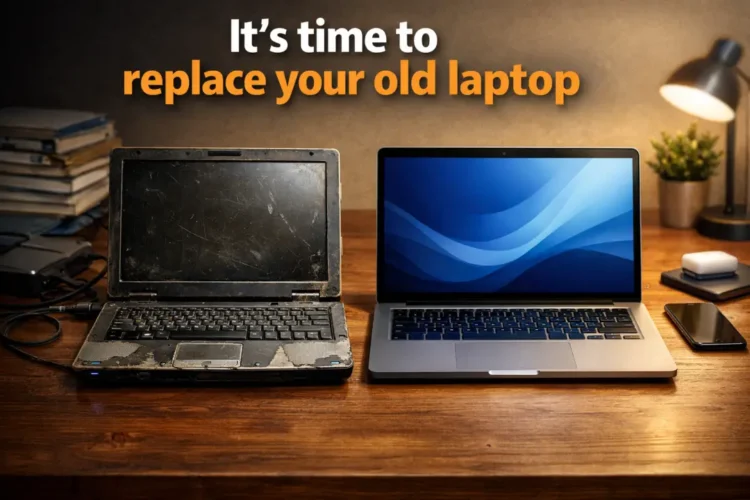
AdminI remember sitting in a coffee shop last week, watching my old MacBook Pro fans spin up like a jet engine just because I opened three Chrome tabs. I’ve been covering tech for over a decade now, and yet, I’m the worst at holding onto gear way past its prime. Sometimes, you reach a breaking point where your hardware stops being a tool and starts being an obstacle. If you find yourself apologizing to your computer while you wait for a spreadsheet to load, you aren’t alone—but you are definitely overdue for an upgrade. Maybe it’s time to replace your old laptop.
1. The Battery Life Mirage
Early in my career, I prided myself on never carrying a charger. Today, I look like a nervous traveler clutching a power brick everywhere I go because my battery health is sitting at a dismal 62%. When your laptop’s capacity drops significantly, you’re basically tethered to a wall outlet, turning a portable device into a heavy, expensive desktop.
Why I picked this: It’s the first thing to degrade physically. Even if the processor is fast, a dead battery kills the mobility factor entirely.
The real benefit: Switching to a modern machine gives you that glorious ‘all-day’ freedom. No more scoping out tables at the airport based on proximity to a wall socket.
Who is this for: Anyone who works remotely or moves between meetings. If you’re tied to a desk, you might get away with it, but for a mobile worker, it’s a death sentence.
The downside: New batteries are pricey, and on many modern ultrabooks, they are glued in, making replacement a risky DIY project that often doesn’t feel worth the cost.
Also check this: Top 5 best Chrome extensions for productivity. Best Signs Finally is something many people search for, and understanding it properly can save you time and effort.
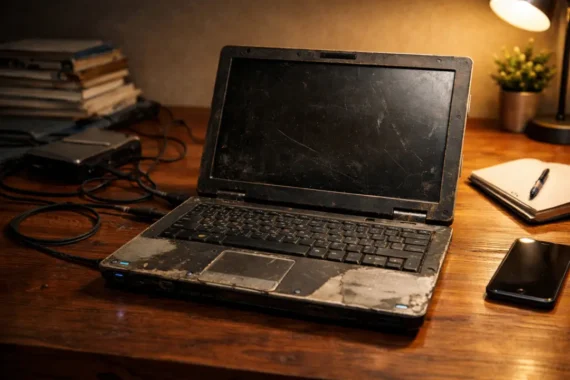
2. The ‘Fan Noise’ Soundtrack
If your laptop sounds like it’s trying to achieve liftoff during a Zoom call, your cooling system is struggling. Over the years, dust clogs the vents and the thermal paste dries out, leading to aggressive thermal throttling. I once had an old Windows laptop that got so hot it actually warped the plastic casing near the exhaust.
Why I picked this: It’s a physical cry for help from your hardware. When a machine runs hot, it slows down to prevent damage, which makes everything feel sluggish, leading to the fact “Replace your old laptop.”
The real benefit: Newer chips, especially those based on ARM architecture or refined 3nm processes, run significantly cooler and often don’t even need fans for light tasks. The silence is golden.
Who is this for: Power users, editors, and anyone doing multitasking. You shouldn’t have to listen to a hurricane while trying to write an email.
The downside: You can clean your fans with compressed air, but if the machine is old, it’s usually just delaying the inevitable.
3. The Operating System Wall
Nothing hits quite like trying to install the latest software and getting the dreaded ‘Your system does not meet the requirements’ pop-up. Whether it’s macOS or Windows 11, software developers eventually decide that your hardware isn’t ‘good enough’ to run their latest features. I hit this wall with an old Dell XPS that couldn’t handle the hardware security requirements for Windows 11, and honestly, it felt like a betrayal. It leads me to the key fact that includes the “Replace your old laptop” at last.
Why I picked this: It’s a security risk. Once you stop receiving OS updates, you stop getting security patches, leaving you vulnerable to threats you can’t see.
The real benefit: Modern OS versions come with UI tweaks, better window management, and native performance optimizations that make the whole machine feel snappier.
Who is this for: Security-conscious users and people who want the latest tools for their workflow.
The downside: Sometimes, the ‘new’ OS is bloated, and you might actually lose features you loved in older versions. It’s a trade-off.
4. The Multi -Tasking Hang-Up – Key point of “Replace your old laptop.”
I call this the ‘Cursor Freeze.’ You’re in the middle of a serious task, you click to open a new tab or switch windows, and your cursor just.. stops. You stare at the spinning wheel of death for ten seconds, wondering if you should have just stayed in bed. This happens when your RAM is maxed out, and your system is swapping memory to the hard drive, which is slow.
Why I picked this: It’s the most frustrating daily experience. It breaks your concentration and makes you hate your computer.
The real benefit: Moving from 8GB of RAM to 16GB or 32GB is life-changing. Everything just opens instantly. No lag, no waiting.
Who is this for: Anyone who lives in a browser or uses productivity suites like Adobe Creative Cloud.
The downside: Modern RAM is frequently soldered to the motherboard. If you buy a machine with too little, you can’t upgrade it later, so you’re forced to buy the configuration you’ll need three years from now.
5. Physical Keyboard and Port Failure
I’ve reached a point where three keys on my ‘e’ and ‘a’ row are sticky or unresponsive. Then there’s the USB-C port that only works if you wiggle the cable at a 14-degree angle. These aren’t just quirks; they are signs of structural failure. I remember trying to present a slide deck once, and because the HDMI port was shot, I had to resort to AirDrop and hope for the best. It was humiliating.
Why I picked this: Physical interface issues degrade your basic ability to interact with the world.
The real benefit: A fresh keyboard, a clean trackpad, and ports that actually hold a connection feel like luxury.
Who is this for: Writers, students, and frequent presenters who rely on physical reliability.
The downside: You can use external keyboards, but that defeats the point of a laptop.
Common Mistakes When Upgrading / Time to Replace your old laptop
The biggest mistake I see friends make? They buy the cheapest base model available, thinking they can ‘upgrade it later.’ In 2024, that’s almost never true. Most laptops are sealed tight. Another mistake is buying based on raw specs (like CPU clock speed) rather than real-world usage. You don’t need an Intel i9 to browse the web, but you definitely need at least 16GB of RAM. Don’t overspend on the processor and cheap out on the memory; you’ll regret it within six months.
FAQs
How long should a laptop actually last?
Usually, 4 to 6 years is the sweet spot. After year five, the hardware really starts to struggle with modern, bloated software updates.
Is it better to fix or replace?
If the repair costs more than 30% of the value of a new machine, just let it go. It’s rarely worth pouring money into an aging chassis.
Will my old data transfer easily?
Yes, tools like Migration Assistant on Mac or cloud storage syncing on Windows make it easier than ever to move your digital life to a new home.
Should I wait for a sale?
Unless your laptop is literally dying and preventing you from earning a living, try to time your purchase around Back-to-School sales or Black Friday.
Does brand matter anymore?
To an extent, yes, but focus on the specific model’s build quality. Even premium brands put out budget machines that feel cheap and break easily.
Related Topics
when to buy a new laptop, laptop performance issues, upgrading vs replacing laptop, is my laptop too old, laptop hardware failure
Related Articles
- Did you know? Most 4K videos on YouTube are not actually true 4K quality.
- Top 5 best Chrome extensions for productivity
- Did you know? Actually the internet weighs about as much as a single strawberry
- Top 5 best cloud storage services for 100% privacy
- How To Unlock Windows Laptop Using Your Phone (The Easy Way)
For more details, check the official guide: Microsoft Support.