
 Admin
AdminA few years ago, I accidentally uploaded a folder full of sensitive tax documents to a mainstream cloud service, and the sheer panic of realizing they were just sitting there—scannable and indexable by a machine—kept me up all night. If you’re looking for the best cloud storage where your data actually belongs to you, you have to prioritize end-to-end encryption. I’ve tested everything from the big tech giants to the niche privacy-first platforms, and I’ve found that true privacy isn’t just a marketing buzzword; it’s about math you can trust.
I’ve tested multiple tools related to the best cloud storage, and honestly, most of them don’t live up to the hype. Some look great but fail in real-world use, while others quietly do an amazing job.
So instead of just listing options, I’m going to walk you through what actually works, what doesn’t, and which one makes sense for you.

1. Proton Drive: The Swiss-Made Fortress
I started using Proton Mail years ago, so when they launched Drive, I was skeptical. Could they really make a cloud storage service that didn’t compromise on speed or security? The answer, as it turns out, is a definitive yes. Proton uses zero-access encryption, meaning even the engineers at their headquarters in Switzerland have zero clue what’s inside your files. When I drag and drop a project folder into the web interface, it’s encrypted right in my browser before it ever hits their servers
Also check this: Top 5 Best Ways Detect Aigenerated ways to detect AI-generated images and deepfakes.
Why I picked it: It’s incredibly easy to use. Most privacy tools feel like they were built for developers in 1998, but Proton feels like modern software.
Real benefit: You get a unified experience if you already use their mail or VPN services. It feels like a cohesive ecosystem built around protecting your identity.
Who should use it: Anyone who is tired of feeling like their personal data is a product being sold to advertisers.
One downside: The file-sharing links can be a bit clunky compared to Google Drive’s instant sharing features, mostly because they have to handle decryption on the receiver’s end.
2. Tresorit: The Enterprise-Grade Heavyweight
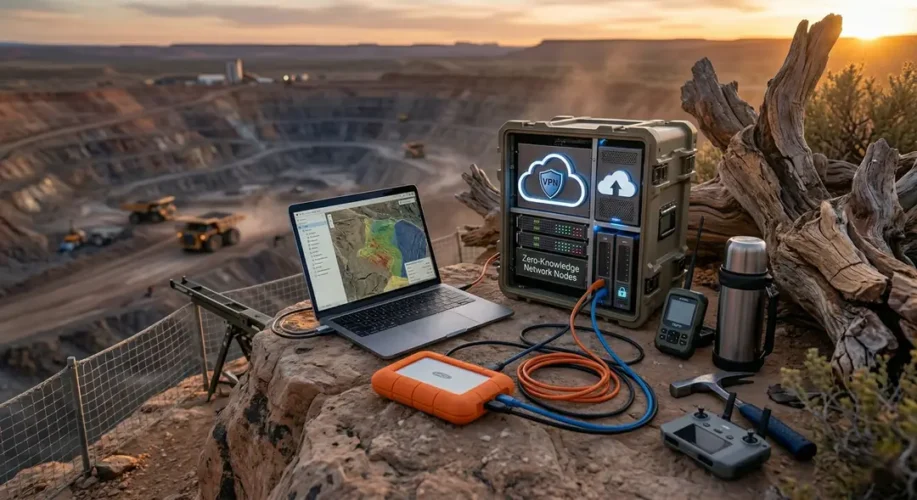
When I was consulting for a firm that handled sensitive legal contracts, they mandated Tresorit. This is the platform that feels like it was designed by people who are actively being chased by spies. It’s based in Switzerland as well, but it goes a step further with “zero-knowledge” architecture that is audited by third-party security experts constantly. I’ve used it to share documents that I needed to expire after a certain number of views, and the level of granular control you get is honestly addictive.
Why I picked it: The sheer reliability of the encryption keys. You own the keys, and they never touch the server in a readable format.
Real benefit: The compliance levels are insane. If you are dealing with HIPAA or GDPR data, this is practically the gold standard.
Who should use it: Freelancers or small business owners who handle client data and can’t afford a security slip-up.
One downside: It is expensive. If you’re just storing photos of your cat, you might find the price tag a little hard to swallow.
3. Filen: The Underdog That Actually Delivers and could be the best cloud storage
I stumbled upon Filen on a privacy forum, and I’m glad I did. It’s a newer player, but they are built on a decentralized approach that is refreshing. They use a fragmented encryption method, so even if they were served a warrant, they wouldn’t have the full picture of your files to hand over, even if they wanted to. Their sync client is one of the fastest I’ve used, which is rare for an encrypted service.
Why I picked it: The user interface is snappy. Many privacy-focused apps are slow, but Filen feels as fast as OneDrive without the corporate overreach.
Real benefit: Transparency. They are open-source, which means anyone with the skills can verify that their code does exactly what they say it does.
Who should use it: Tech-savvy individuals who want a clean, minimalist experience that doesn’t track their every move.
One downside: They are a smaller team compared to giants like Dropbox, so you don’t get as many third-party integrations.
4. Sync.com: The Balance of Power
Sync is the tool I recommend to my non-tech friends who just want to be left alone. It acts very similarly to Dropbox and also comes under the best cloud storage—you have a local folder on your computer that syncs automatically—but it adds that critical layer of privacy. It’s the easiest transition for someone coming from a big-tech ecosystem. I’ve been using my account for over two years now to back up my RAW photography files, and I’ve never had a single conflict or sync error.
Why I picked it: It handles file versioning beautifully. If I accidentally delete a file, I know it’s sitting in my vault waiting for me to hit restore.
Real benefit: It’s “set it and forget it.” You don’t need a degree in cybersecurity to set up a private, encrypted folder.
Who should use it: Families or people who just want a Dropbox replacement that respects their privacy without changing their workflow.
One downside: The web interface isn’t quite as slick or feature-rich as Proton Drive.
5. Mega: The Original Privacy Pioneer
Love them or hate them, Mega was the first service to bring massive amounts of encrypted storage to the masses. I’ve used them since the early days when they were just a file transfer site. Their business model is built entirely on zero-knowledge encryption. I like that they give you a generous free tier, which is perfect for testing the waters before you commit to a subscription.
Why I picked it: The 20GB free tier. It’s the best way to get started with encrypted cloud storage without paying a dime. (Some years ago, it provided 50GB, but right now it has reduced the free quota amount)
Real benefit: The speed. Because they use a global network of servers, uploading large files is surprisingly fast compared to other private services.
Who should use it: Students or anyone on a budget who needs a decent amount of private space for documents and is seeking for the best cloud storage
One downside: Their history is a bit colorful, and some people feel better using platforms with a more “conservative” corporate image.
Common Mistakes I See Everyone Making in Choosing the Best Cloud Storage
The biggest mistake is thinking that just because you have a password, your cloud storage is “private.” That’s just a lock on the front door; it doesn’t stop the landlord (or the provider) from keeping a master key. Always look for “zero-knowledge” or “end-to-end encryption.”
If the provider can reset your password by sending you an email, they have the keys to your kingdom. A real private provider will tell you that if you lose your recovery key, your data is gone forever. It sounds scary, but that’s the price of total ownership that makes it one of the best cloud storage.
FAQs
1. If I lose my encryption key, can the provider recover my files?
No. That is the point of zero-knowledge encryption. If you lose your key, those files are mathematically lost forever. Keep your keys safe!
2. Is free cloud storage really private?
Be careful. If it’s free and not open-source, they might be monetizing your metadata. Always check if the “free” tier uses the same encryption as the paid one.
3. Can I use these for streaming media?
Most of these are for personal backups. Streaming media from these servers might be slow due to the decryption process happening in real-time.
4. Does using encryption make my uploads slower?
It used to, but with modern processors, the difference is negligible. You might notice a slight hit on very large folders, but it’s worth the security.
5. Which one is best for my iPhone or Android?
Proton and Sync both have excellent mobile apps that make backing up your photos as seamless as iCloud or Google Photos.
Choosing the best cloud storage for your needs is a journey. For me, it wasn’t about finding the ‘perfect’ company, but finding one that aligned with my values. At the end of the day, my data is my business, and I’m glad there are tools out there that finally agree with me.
Related Topics
zero-knowledge encryption, private cloud storage, end-to-end encrypted backup, secure file sharing, data privacy solutions
Related Articles
- How To Unlock Windows Laptop Using Your Phone (The Easy Way)
- Top Secrets of Incognito Mode! It does not hide your activity from your ISP- The truth about incognito
- The 30-second fix for a flickering laptop screen
- Top 5 Best Ways Detect Aigenerated ways to Detect AI-Generated Images and Deepfakes
- Did you know? Your smart TV is likely tracking every show you watch
For more details, check the official guide: Microsoft Support.