

 Admin
AdminIs Your Privacy Compromised? How to Find Hidden Cameras
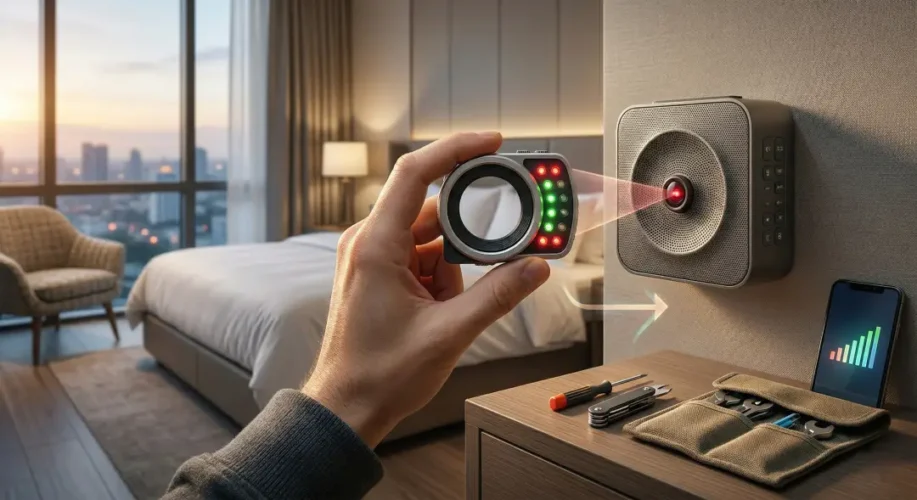
I still remember the first time I walked into a high-end boutique hotel in Europe. The room was gorgeous, but as I sat on the bed, I couldn’t shake that prickling feeling on the back of my neck. We live in an era where tiny lenses can be tucked into alarm clocks, smoke detectors, and even wall outlets. If you are worried about your privacy while traveling, you are not being paranoid—you are being prepared.
The good news is that you don’t need fancy spy equipment to stay safe. You already have a powerful tool in your pocket: your smartphone. Here is the reality of how to find hidden cameras without needing an engineering degree.
The First Line of Defense: Scanning the Network
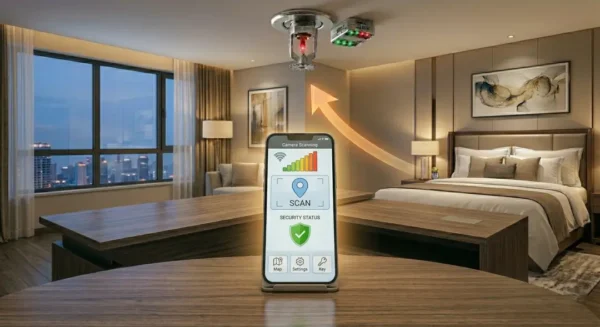
Most modern hidden cameras need to send footage somewhere, which means they often connect to the local Wi-Fi network. This is your biggest advantage. If someone is broadcasting a feed, your phone can see it.
Download a network scanner app like Fing. Once you connect to the hotel’s guest Wi-Fi, run a full scan of the network. What you are looking for are devices that have names like IP Camera or manufacturers that sound generic.
Quick Tip: If you see a list of devices with names like “Camera” or a long string of random numbers/letters, start asking questions. It might just be the hotel’s smart TV, but it pays to be cautious.
This method works best for tech-savvy intruders. The downside? If the camera records to an internal SD card or uses a private cellular connection, a network scan won’t catch it. It’s a great start, but it’s not a magic bullet.
Also check this: Top 5 best free apps to turn a tablet into a second monitor.
Using Your Camera to Detect Infrared Lights
This is where things get interesting. Many night-vision cameras use infrared (IR) light to see in the dark. Our human eyes can’t see this light, but your smartphone camera sensor often can.
Turn off all the lights in your room until it is pitch black. Open your phone camera app and slowly scan the room, focusing on suspicious areas like smoke detectors, mirrors, or electronic devices. If you see a flickering purple or white light on your screen that isn’t visible to your naked eye, you may have found something.
Warning: The front-facing (selfie) camera on many modern smartphones has an IR filter that blocks this light. Always use your main back-facing camera for this trick. If you aren’t sure if your phone can see IR, test it with your TV remote by pointing it at your camera and pressing a button.
The Physical Inspection: Don’t Rely on Tech Alone
I never check into a room without doing a 60-second physical sweep. Technology can fail, but your eyes are usually pretty good at spotting things that look out of place. Hidden cameras need a line of sight to work, which means they need to be pointed at the bed, the bathroom, or the main living area.
Check the usual suspects:
- Smoke Detectors: These are the classic hiding spot. Look for tiny holes that don’t look like they belong there.
- Wall Outlets and USB Ports: If an outlet is facing your bed directly, inspect it closely for a lens.
- Mirrors: Perform the nail test.
Touch your finger to the mirror; if there is a gap between your finger and the reflection, it is a normal mirror. If your finger touches the reflection directly, it could be a two-way mirror.
Who is this for? Honestly, everyone. Whether you are staying in a budget motel or a luxury suite, the risk of a bad actor exists. The downside of physical checks is that they take time and require you to be vigilant when you really just want to relax.
Why You Should Trust Your Gut
There is no perfect way to find hidden cameras every single time. But here is what surprised me: most people who find cameras didn’t find them through an app. They found them because something looked “off.” Maybe a screw was loose on a smoke detector, or a device was plugged into an awkward outlet.
If you find something that makes you uncomfortable, do not try to dismantle it yourself. Call the front desk and ask them to remove the item. If they act suspiciously or refuse to help, don’t hesitate to pack your bags and find another hotel.
But here is the catch: most hotel staff are just as worried about this as you are. A discovery like that is a disaster for their reputation. Usually, a polite request for clarification is enough to clear the air if you have accidentally identified a perfectly harmless piece of technology. And it should be your path of “how to find hidden cameras” journey.
Practical Steps to Protect Yourself
If you still feel uneasy after your scan, you don’t have to keep your clothes on. You can always drape a towel over electronic devices that aren’t necessary for your stay, like a smart speaker or an alarm clock. It’s a simple, low-tech solution that provides immediate peace of mind.
Remember: Privacy is a human right, but in the world of travel, it’s also something you have to actively guard. Use these phone-based tools, keep your eyes peeled, and always trust your intuition. You are much better off being the person who double-checks the smoke detector than the person who ignores a red flag.
Stay safe out there, keep your phone handy, and happy travels.
Related Topics
detect hidden cameras with phone, hidden camera detector app, travel safety tips, how to spot spy cameras, hotel room security
Related Articles
- Top 5 best free apps to turn a tablet into a second monitor
- You should know this in 2026! Your phone screen has more bacteria than a toilet seat!
- Google Maps hack to use it offline and save massive data
- Top 5 signs it is finally time to replace your old laptop
- Did you know? Most 4K videos on YouTube are not actually true 4K quality.
For more details, check the official guide: Microsoft Support.