

A friend joins your guest Wi-Fi, opens YouTube and then asks why your TV isn’t on the Cast list. Nothing may be wrong with the Wi-Fi. Your friend has an internet connection, but your router may simply be keeping visitors away from the devices on your home network.
That’s the idea behind guest Wi-Fi isolation. A properly isolated guest network lets visitors go online without giving them access to your private devices. But a Wi-Fi name that ends in “Guest” doesn’t tell you what’s actually blocked. Some routers let you share specific devices, some have a switch that opens access to the home network, and some stop guests from talking to one another as well.
You don’t need a network scanner to make a useful first check. A phone and a printer or TV that you already know how to use are enough to see whether one everyday task works from both networks.
What guest Wi-Fi isolation actually blocks
Think of three connections separately. The first is your guest’s phone going to the internet. The second is that phone reaching equipment at home, such as a printer, a laptop with a shared folder or a storage drive plugged into the network. The third is one visitor’s device talking to another visitor’s device.
For internet-only guest access, you want the first connection to work and the second to be blocked. If guests only need to browse, there’s usually no reason for their devices to talk to each other either. The tricky part is that routers don’t all put those last two choices behind the same switch.
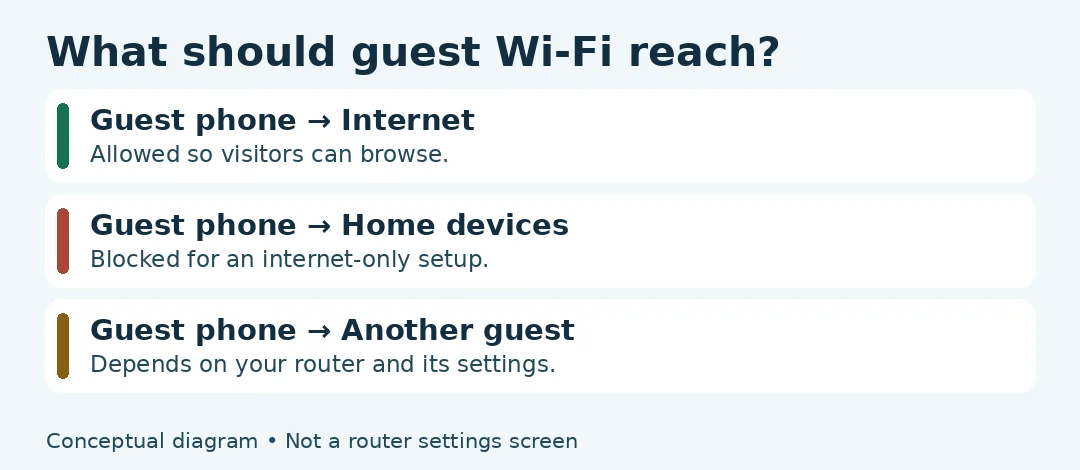
For example, the TP-Link Archer C86 v2 manual lists separate controls for guest-to-guest and guest-to-home access. An older NETGEAR Orbi manual shows a single checkbox for both. eero documents blocking both on its guest network. In other words, moving the printer to guest Wi-Fi isn’t a reliable way to let visitors print. On a network that also blocks communication between guests, their phone still may not be able to reach it.
Check the router setting, not just the Wi-Fi name
Open your router’s app or settings from your own home network and look for Guest Network, Guest Access or Guest Wi-Fi. Give it a name you can recognise and a strong password different from your main Wi-Fi password. Use WPA3 Personal if your router and visitors’ devices support it, or WPA2 Personal where you need compatibility. The FTC’s home Wi-Fi guidance covers those choices and explains the difference between your router’s admin password and the password people use to join Wi-Fi.
If you’re setting up guest Wi-Fi isolation for internet-only access, leave any option that allows access to the local network switched off. On supported ASUS routers, it may be called Access Intranet or appear as a choice to include the main network. On Google Nest Wifi, check the list of shared devices instead. Remove anything from that list you don’t want visitors to use.
If your internet provider supplied the router, check the manual for that exact model. For instance, Jio’s published MyJio guide shows how to enable a guest Wi-Fi name on the pictured gateway. That tells you how to switch the network on, not what your own gateway and firmware will block. If the app offers a QR code, confirm it belongs to the guest network before sharing it. A code for the main network gives visitors the same access they would get by typing the main password.
How to check guest Wi-Fi isolation with a printer or TV
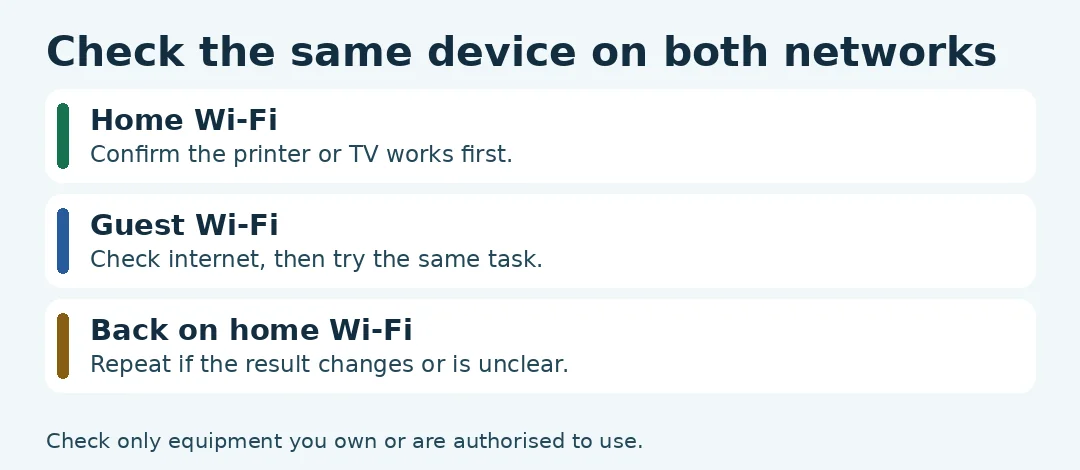
Use your own phone for both checks, and pick just one local task: print a test page or open the Cast list and try connecting to your own TV. Use the same app and the same printer or TV each time. Skip cloud printing or remote-control apps for this check. If the request goes through the internet, it doesn’t tell you whether your phone can reach the device directly over Wi-Fi.
- Start on your main Wi-Fi. Confirm the phone can do the task. If it can’t, you haven’t learnt anything about guest Wi-Fi yet. Check that the TV or printer is awake and that the usual connection works.
- Join the exact guest Wi-Fi name. Temporarily switch off mobile data so it can’t make a bad Wi-Fi connection look fine. Load a public webpage, then try the same printer or TV task again.
- Return to home Wi-Fi and repeat the task. If the webpage loads on guest Wi-Fi but the task only works on your main Wi-Fi, that is good evidence the guest connection can’t do that particular task. It isn’t proof that every home device is unreachable. If the task works from guest Wi-Fi too, look for an intentional sharing exception or a local-access setting before assuming the network is private. Switch your mobile data back on when you finish.
Have an extender or mesh unit upstairs? Run the same guest Wi-Fi isolation check there if it broadcasts the guest name. In Access Point (AP) mode, a Deco unit extends your existing router’s network instead of acting as the main router. TP-Link says Deco automatically keeps the guest and main networks apart in Router mode. In AP mode, supported units have an Allow Local Access switch that lets guests reach home devices when it’s on. ASUS notes that some options aren’t available in AP mode. If things work differently upstairs, check which device is broadcasting the name and what its documentation says before you change anything.
When a guest really does need the printer or TV
If a friend wants to print one ticket, the simplest option is to print it for them from one of your own devices. For casting, you can play the clip from your own phone. Neither option requires you to switch off guest Wi-Fi isolation for everyone else.
If your router allows selective sharing, you can share just the printer or TV, try it from guest Wi-Fi and remove that exception afterwards if you no longer need it. Google documents that option for compatible devices on Nest Wifi. If the only switch you see allows access to the whole local network, it isn’t a printer-sharing switch. Leave it off unless you deliberately want that broader access. Google’s Cast troubleshooting explains why client isolation can prevent setup; it’s a reason to check the network, not a reason to remove isolation for every visitor.
For more ways to protect the router itself, see our home Wi-Fi security guide. Start by deciding what you actually want a guest to use. For most visits, guest Wi-Fi isolation should let people go online without reaching your home devices. If the printer works only on your main Wi-Fi, that tells you the guest device couldn’t print. It doesn’t tell you what else the guest device can reach.
Frequently asked questions
Is guest Wi-Fi automatically isolated?
Guest Wi-Fi isolation is automatic on some routers, but not on every model or in every operating mode. Check the documentation for the exact model and confirm its local-access and shared-device settings. Then try one known local task from guest Wi-Fi.
Can someone on guest Wi-Fi use my printer?
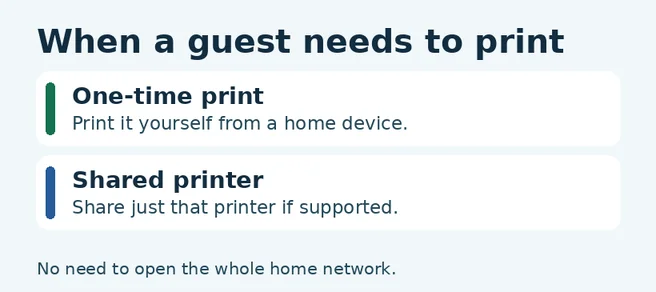
Only if the guest device can reach the printer. Some routers let you share just that printer. For a one-off job, it’s simpler to print from your own device.
Is AP isolation the same as blocking access to the home network?
Not necessarily. AP or client isolation often stops wireless devices on the same access point from talking to one another. A separate setting may control whether guests can reach the main network, including wired devices.
Does guest Wi-Fi need a separate password?
Use a strong guest password different from the main Wi-Fi password. If you share a QR code, make sure it is for the guest network too. A different password helps protect your main credentials but doesn’t prove the devices are isolated.
If I can’t cast from guest Wi-Fi, does that mean my TV is faulty?
No. First check whether the same phone and app can cast while on the main Wi-Fi. If they can, an isolation rule might explain the difference. If neither test works, check the TV and app before drawing a conclusion about the router.
Does putting a smart camera on guest Wi-Fi keep it private?
It can reduce local access between networks, but it doesn’t change who can sign in to the camera’s cloud account. It may also stop a local recorder or app from seeing the camera. Check how your model connects before moving it.
Editorial note: This explainer was researched and drafted with AI assistance using published router and device documentation. The examples are checks you can run yourself, not results from hands-on router testing. The diagrams explain network behaviour and aren’t router screenshots. Read our Editorial Policy.