
Someone in the family group asks you to send a birthday photo so they can get it printed. You’ve already posted it in the chat, and it looks fine on your phone. Should you forward that copy, send it again in HD, or go back to the one in your camera roll?
Use WhatsApp HD when everyone just wants a clearer photo to view in the chat. If someone plans to print it, attach the picture from your camera roll as a Document. If a photographer or relative took the photo, ask them to send their copy rather than forwarding the version already in the group.
WhatsApp HD vs Document: what reaches the other person?
Whether you choose Standard or WhatsApp HD in the photo picker, the image arrives as a photo message. Standard quality is usually enough to show someone which shirt you’re buying. Tap HD before sending if you want them to see more detail, such as faces in a wide group shot. WhatsApp’s HD help page also shows where to set HD as your default: Settings → Storage and data → Media upload quality.
The WhatsApp HD badge doesn’t mean the picture is the same file you selected. WhatsApp explains that shared photos can be compressed, which is one reason a photo may look fine on a small screen but look softer when someone zooms in. Choose Document when you want to hand over a particular file. It can appear as an attachment with a file name, rather than the usual big photo in the conversation.
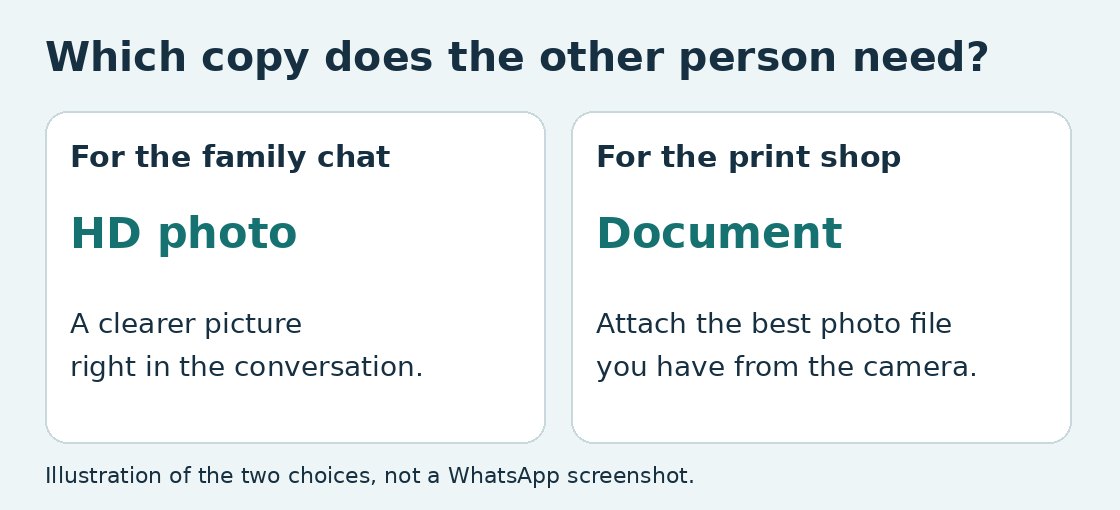
How to send the photo as a Document on your phone
On Android: Open the right WhatsApp chat and tap the paperclip beside the message box. Choose Document rather than Gallery. Browse for the picture you want and send it. If the picker opens on recent files, go to the folder where you saved the picture. A photo you took yourself is often in the Camera folder. If it only lives in the cloud, download the best available copy first.
On iPhone: Open the chat, tap the plus button and choose Document. If you see a choice to pick a photo or video there, use it. Otherwise, save the picture to Files first, then select it from the Document picker. If you specifically want the camera file before any edits, Apple documents the Export Unmodified Original option. If you’ve already cropped the picture the way you want it printed, send that edited copy instead.
If you start with the wrong copy, changing how you send it won’t help. For example, if a cousin has already sent you a small copy, attaching that same copy as a Document won’t put back the detail it lost. Find the picture in the camera roll or ask the person who took it to send theirs. If you’re pulling it from Google Photos, check the backup quality on that particular photo. Changing a setting today won’t put back detail missing from your only saved copy.
Before you print a WhatsApp HD photo, check the file
Ask the person ordering the print to open and save the attachment, not take a screenshot of it. If they have any doubts, ask them to check the photo’s details. On an iPhone, open the picture in Photos and tap the Info button or swipe up. On a Samsung Galaxy, you can swipe up in Gallery or look for Details. Compare the width and height shown on the sender’s and receiver’s phones. If they match, it’s a useful check that the picture didn’t get smaller, but it doesn’t prove the two files are identical.
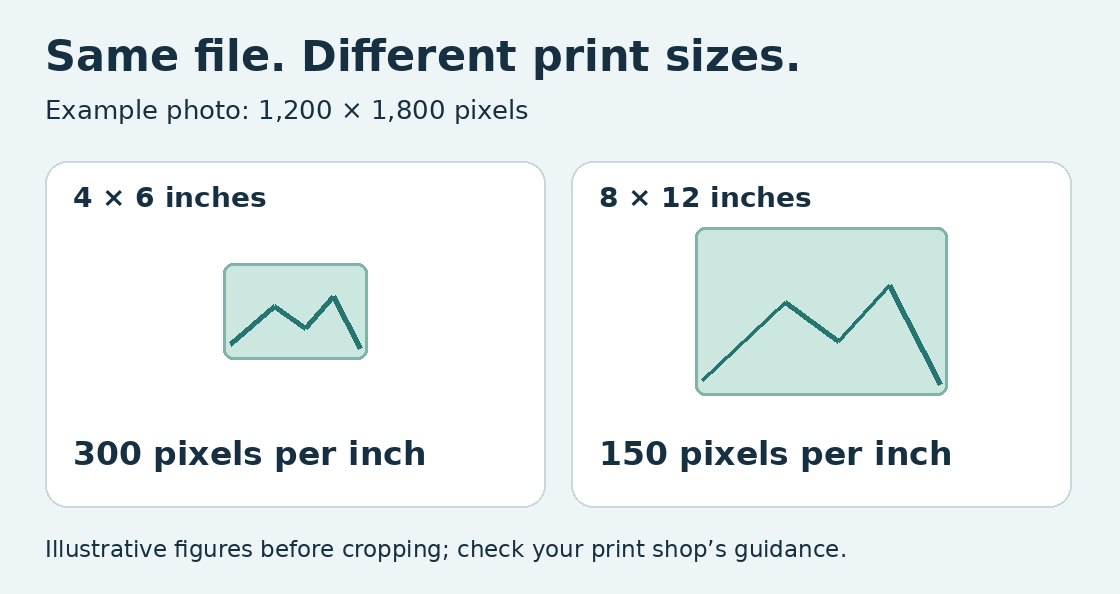
Print size matters too. A 1,200 × 1,800 picture gives you 300 pixels per inch on a 4 × 6-inch print, assuming you use the whole picture. Spread the same image across an 8 × 12-inch print and you get 150 pixels per inch. These are examples, not measurements of WhatsApp output. Check your print shop’s guidance and look at its crop preview. A group photo can have plenty of detail but still lose the person on the edge if the frame and the photo are different shapes. Mpix’s upload guide illustrates how recommended image sizes vary with the print you choose.
If the shop rejects an iPhone photo, ask if it accepts HEIC or needs a JPEG. Apple explains when photos may be converted for compatibility. For a JPEG-only shop, make a separate JPEG copy, check its size and keep your original. Also check what you’re sharing: an original photo can carry the place it was taken. For pictures going outside the family, see our guide to photo location data and check the copy you actually send.
When a download link is easier
For a whole birthday album, you don’t have to send one attachment after another. Upload the pictures you want printed to a folder in a service you already use, such as Google Drive. Give the intended person access and tell them to download the files from the folder. If they get an access error, check which email address they’re using before you make the link available to anyone. For just one or two files, a normal Gmail attachment is another option if the files fit.
The next time you post photos in a group, you can use WhatsApp HD for everyone to see. If someone picks a favourite for the wall, go back to the source for that one picture and send it as a file. Before they order, ask them to check the downloaded copy and the crop.
Frequently asked questions
Does WhatsApp HD send the original photo?
HD is a higher-quality photo message. The badge doesn’t tell you whether the picture is the same file you selected. For a print or an edit, use Document and pick the best copy you have.
Is WhatsApp HD good enough for a small photo print?
It can be, especially for a small print. Check the downloaded photo against the shop’s guidance for the size you want. If it warns you or faces look blurry, ask for the camera copy rather than trying to enlarge the chat photo.
Do I need to turn a photo into a PDF to send it as a Document?
No. Document is the name of the attachment option in WhatsApp. You can select the picture file itself, such as a JPEG, without making a PDF.
Why does my print shop ask for a JPEG?
Some shops don’t accept every photo file format. If they ask for JPEG and your phone saved an HEIC image, make a separate JPEG copy and check its dimensions before sending. Keep the source photo.
What if the person ordering prints only has a screenshot?
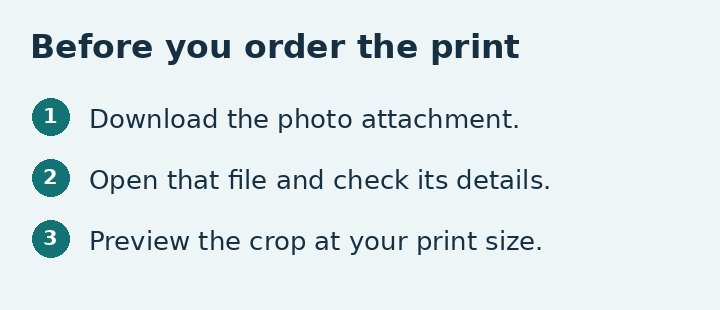
Ask them to download the attachment you sent. If the attachment started as a screenshot, ask the photographer for the actual picture. Resending a screenshot as a Document won’t add the missing detail.
Editorial note: AI assisted with researching and drafting this guide. The steps were checked against published documentation; we did not run hands-on WhatsApp transfers or order prints for this article. The diagrams are illustrative, not app screenshots. Featured photograph: Suki Lee / Pexels. See our Editorial Policy.